Build a Smartphone-Controlled Bluetooth RC Car Using Arduino & L298N
Control your custom robotic rover using any Android or iOS smartphone over Bluetooth with virtual steering controls, speed throttling, and headlights.
Build a Smartphone-Controlled Bluetooth RC Car Using Arduino & L298N
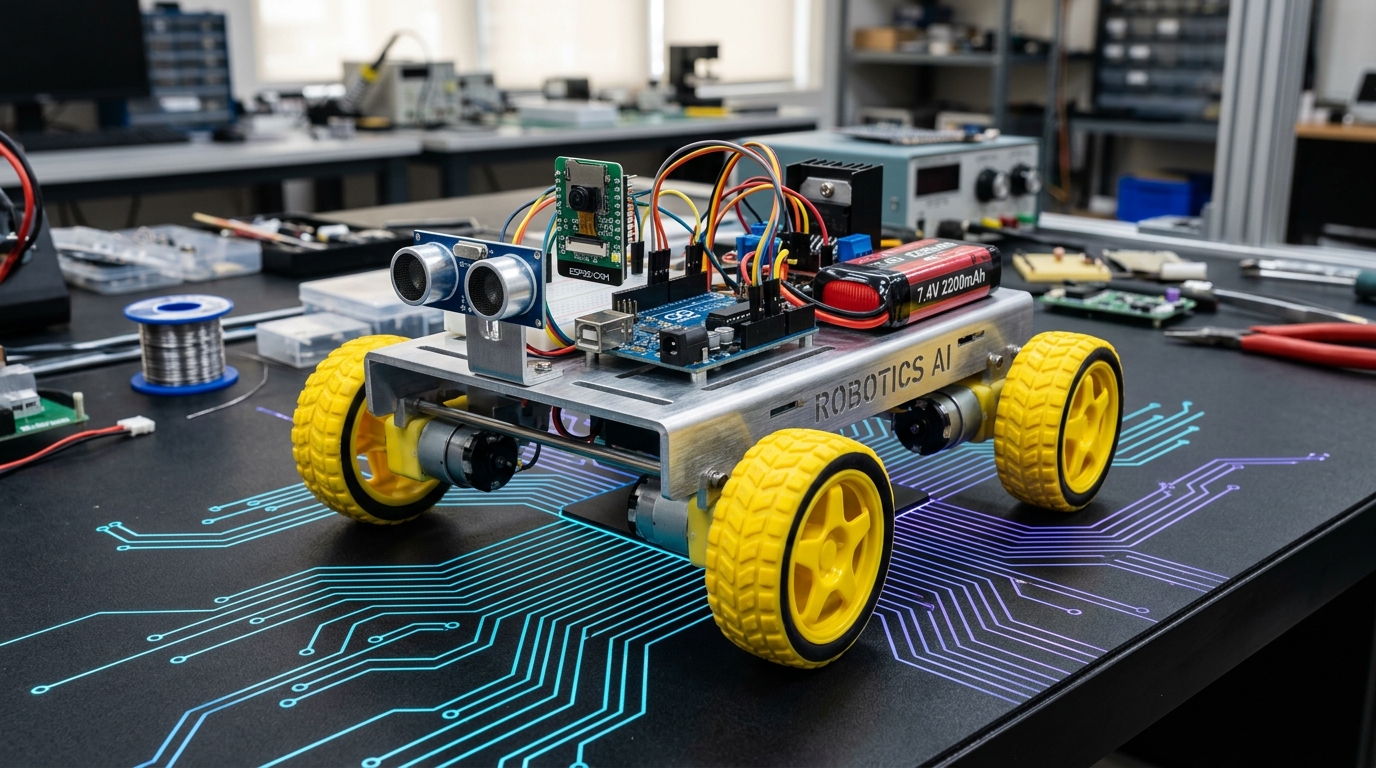
Turn an ordinary 2WD or 4WD robotic chassis into an agile remote-controlled rover governed wirelessly by your smartphone accelerometer or virtual joystick!
What you will build: A responsive Bluetooth rover receiving single-byte motion commands over an HC-05/HC-06 serial bridge or BLE module, with smooth differential motor steering.
1. Hardware Checklist
- 1× Arduino UNO R3
- 1× L298N Dual Motor Driver Module
- 1× HC-05 or JDY-31 Bluetooth Module
- 1× 2WD/4WD Chassis with Gear Motors & Wheels
- 2× 18650 Li-ion Batteries (7.4V) with Battery Holder
- Connecting wires & mounting fasteners
2. Bluetooth Serial Bridge Configuration
The HC-05 communicates over standard UART. Because the Arduino UNO's hardware serial pins (D0/D1) are utilized for USB flashing, we use SoftwareSerial on pins D2 and D3:
  HC-05 TX  ──────►  Arduino D2 (Software RX)
  HC-05 RX  ◄──────  Arduino D3 (Software TX via voltage divider: 1kΩ / 2kΩ)
  HC-05 VCC ──────►  5V
  HC-05 GND ──────►  GND
3. Arduino Code
cpp#include <SoftwareSerial.h>

SoftwareSerial BT(2, 3); // RX, TX

const int IN1 = 5;
const int IN2 = 6;
const int IN3 = 9;
const int IN4 = 10;

void setup() {
  BT.begin(9600);
  pinMode(IN1, OUTPUT);
  pinMode(IN2, OUTPUT);
  pinMode(IN3, OUTPUT);
  pinMode(IN4, OUTPUT);
}

void forward() {
  digitalWrite(IN1, HIGH); digitalWrite(IN2, LOW);
  digitalWrite(IN3, HIGH); digitalWrite(IN4, LOW);
}

void backward() {
  digitalWrite(IN1, LOW); digitalWrite(IN2, HIGH);
  digitalWrite(IN3, LOW); digitalWrite(IN4, HIGH);
}

void left() {
  digitalWrite(IN1, LOW); digitalWrite(IN2, HIGH);
  digitalWrite(IN3, HIGH); digitalWrite(IN4, LOW);
}

void right() {
  digitalWrite(IN1, HIGH); digitalWrite(IN2, LOW);
  digitalWrite(IN3, LOW); digitalWrite(IN4, HIGH);
}

void stop() {
  digitalWrite(IN1, LOW); digitalWrite(IN2, LOW);
  digitalWrite(IN3, LOW); digitalWrite(IN4, LOW);
}

void loop() {
  if (BT.available()) {
    char cmd = BT.read();
    switch (cmd) {
      case 'F': forward(); break;
      case 'B': backward(); break;
      case 'L': left(); break;
      case 'R': right(); break;
      case 'S': stop(); break;
    }
  }
}
4. Mobile App Setup
Download any free "Arduino Bluetooth Controller" app from Google Play or the App Store. Pair with HC-05 (passcode: 1234 or 0000) and map directional buttons to 'F', 'B', 'L', 'R', and release to 'S'.
Parts used in this tutorial
Buy them in one click — ships from Pune across India.
- Arduino UNOMicrocontrollers₹265.58+ GST
- L298N 2A Based Motor Driver ModuleMotors & Actuators₹135.00+ GST
- DC Plastic Gear Motor with Wheel (BO)Motors & Actuators₹75.88+ GST
- RC Car KitKits₹2,000.00+ GST