
All products · 5 of 1440
Electronics, sensors, robotics kits, PC components, peripherals — everything Unik Systems carries, in one place.
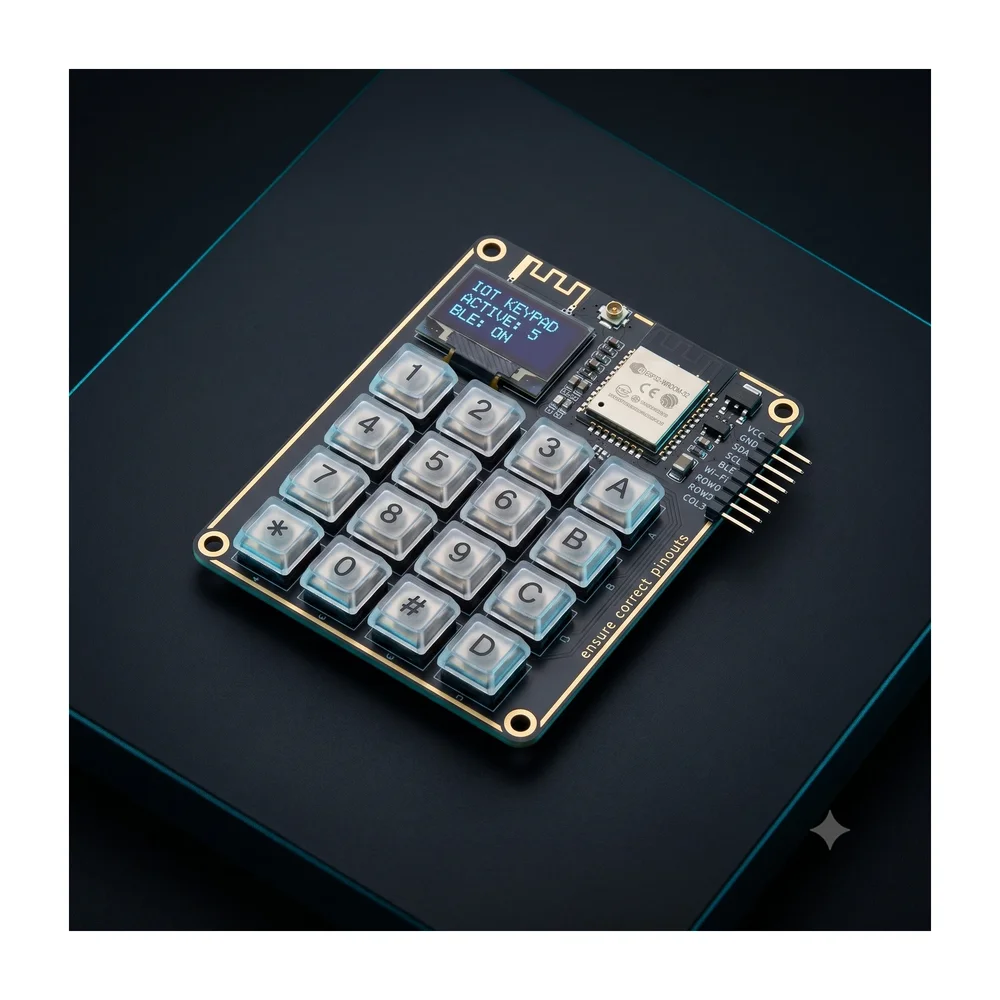
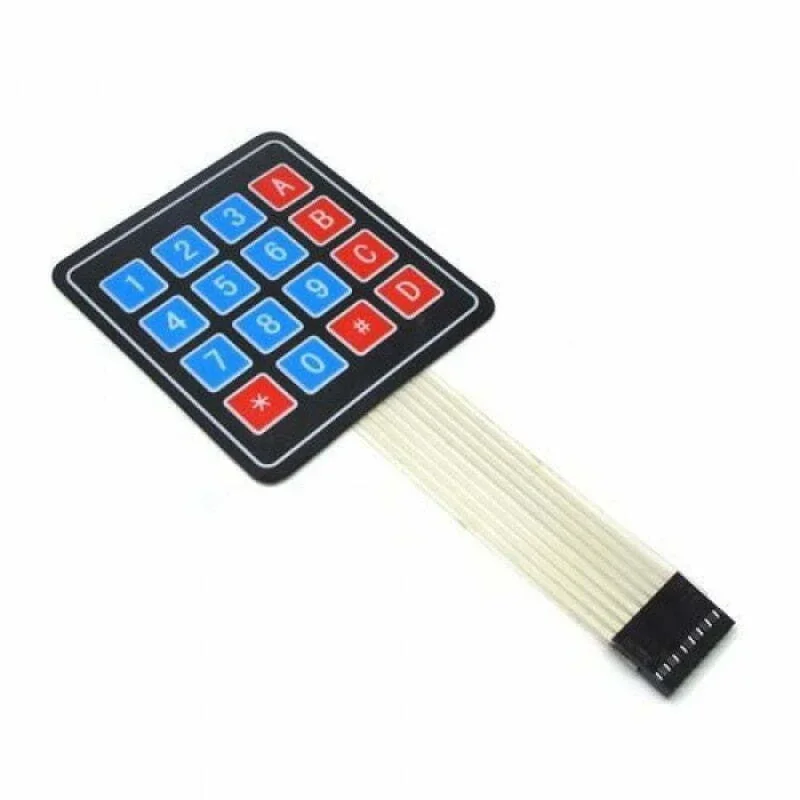
4×4 Matrix 16 Keypad Keyboard Module 16 Button MCU
[Input Module] This DC 12V 4×4 Matrix Keypad Membrane Switch is high-quality soft touch feeling button keypad with 100 million life-stroke lifespans and good resistance to environmental conditions. This DC 12V 4×4 Key Matrix Membrane Switch Keypad is a high-quality product at very low cost for your application needs. This 16-button keypad provides a useful human interface component for microcontroller projects. Convenient adhesive backing provides a simple way to mount the keypad in a variety of applications. The Keypad 4×4 features a total of 16 buttons in Matrix form. This is a membrane keypad with no moving parts. A female 8-pin berg connector is require for interfacing it with your microcontroller circuits. Features: Ultra-thin design & adhesive backing provides easy integration to any project Excellent price-performance ratio Easy communication with any microcontroller 5 pins 2.54mm pitch connector,4x 4type 16 keys. Sticker can peel off for adhesive mounting. Used widely in industrial and home electronic equipments, instrument, etc. This allows a microcontroller to scan the 8 output pins to see which of the 16 buttons is being pressed. Package Includes: 1 x 4×4 Matrix Membrane Type Keypad -16 Keys Specifications: Voltage(V) DC 35V Operating Current (A) 0.1 Contact Resistance 500 Insulation Resistance (M) 100 Dielectric Strength 250VRms Length (mm) 165 Width (mm) 70 Height (mm) 1 Weight (gm) 7 * Product Images are shown for illustrative purposes only and may differ from actual product.
 Out of stock
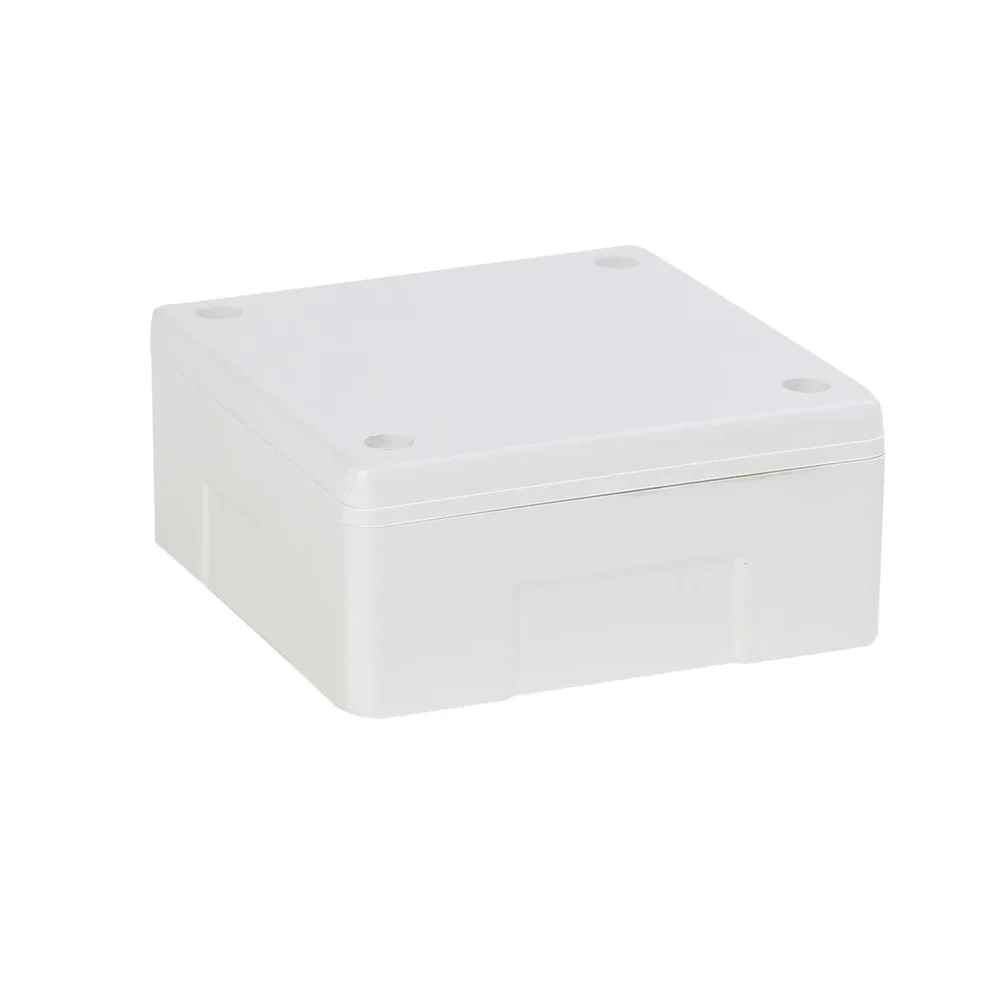
PVC PLASTIC ENCLOSURE – 4″ X 4″
[PVC ENCLOSURE] This is a small size enclosure for all your project housing needs. Made from high quality plastic this enclosure is 4″ x 4″ x 2″ in size. Perfect for housing small sized PCBs and boards. Can be easily modified, cut, and drilled into with simple tools. It is light and yet quite strong and rugged. Perfect for housing small sized projects. Key Features: Outer Dimesnsions: 10 cm x 10 cm x 5 cm in size Colour: white Has 4 holes in bottom which help to mount the box on table or wall. Glossy white Finish with White Top and White Bottom Lid. The top panel has a flat display area, perfect for labels, silk screening, membrane keypads or easily machined. Designed for a comfortable fit into the user’s hand. Also suitable for surface use. Enclosure consists of a bottom piece and a lid which clips onto to each other through 4 screws (Provided inside). Application: Can be used to house DC Chargers, LED Drivers, General Purpose Boards, etc Can be easily modified, cut, and drilled into with simple tools. It is light and yet quite strong and rugged.Perfect for housing all small to medium sized projects.
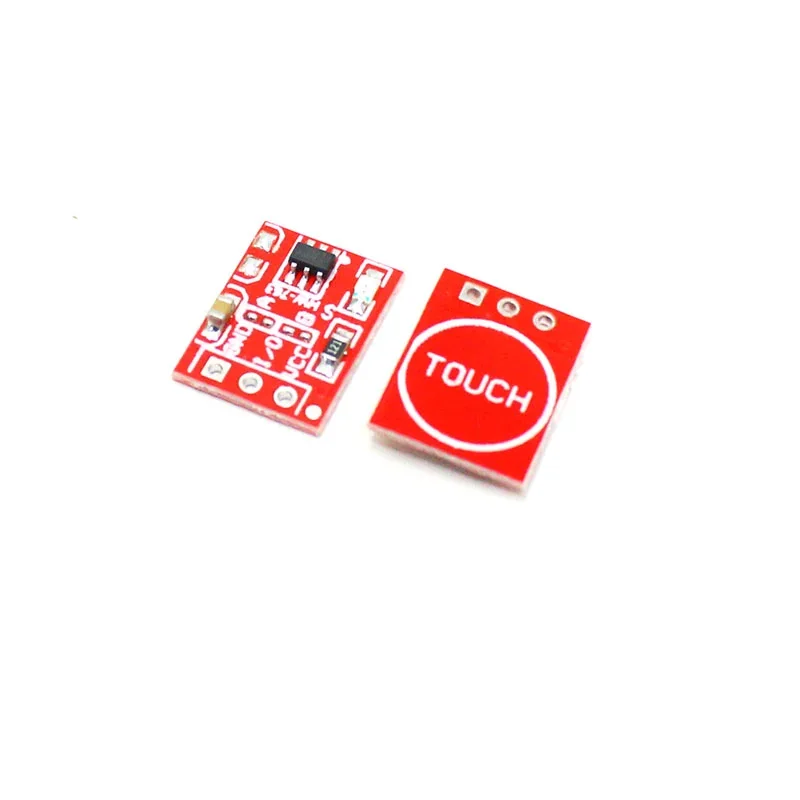
TTP223 Touch Key Module
[Sensors, Touch Sensors] The TTP223 Touch Key Module is based on a touch-sensing IC (TTP223) capacitive touch switch module. A capacitive touch sensor module based on the dedicated TTP223 touch sensor IC. The module provides a single integrated touch sensing area of 11 x 10.5mm with a sensor range of ~5mm. An onboard LED will give a visual indication of when the sensor is triggered. When triggered the output of the module will switch from its idle low state to high (default operation). Solder jumpers allow for reconfiguring its mode of operation to be either active low or toggle output. TTP223 Capacitive Touch Sensor Module. The TTP223 is a touchpad detector IC replicating a single tactile button. The TTP223 is a touchpad detector IC replicating a single tactile button. This touch detection IC is designed for replacing traditional direct button key with diverse pad size. Trigger-setting mode: (1- > Short ; 0- > No Short) AB=00: No-lock High TTL level output; AB=01: Self-lock High TTL level output; AB=10: No-lock Low TTL level output; AB=11: Self-lock Low TTL level output; Connection Diagram: Features : Supports momentary or latching/toggle modes. Supports Active High or Active Low output signal modes. Dimensions : 15mm x 11mm. Input Voltage : 2 Volt – 5.5 Volts DC. The response time max ~ 60mS in fast mode, ~220mS at low power mode @VDD=3V. Sensitivity can adjust by the capacitance(0~50pF). Have two kinds of sampling length by pad option(SLRFTB pin). Stable touching detection of the human body for replacing traditional direct switch key. Provides Fast mode and Low Power mode selection by pad option(LPMB pin). Provides direct mode、toggle mode by pad option(TOG pin). Open drain mode by bonding option, OPDO pin is open drain output, Q pin is CMOS output. All output modes can be selected active high or active low by pad option(AHLB pin). Have the maximum on time 100sec by pad option(MOTB pin). Have external power-on reset pin(RST pin). After power-on have about 0.5sec stable-time, during the time do not touch the keypad, and the function is disabled. Auto calibration. Re-calibration period is about 4.0 sec when the key has not be touched. Package Includes : 1 x TTP223 TOUCH KEY MODULE
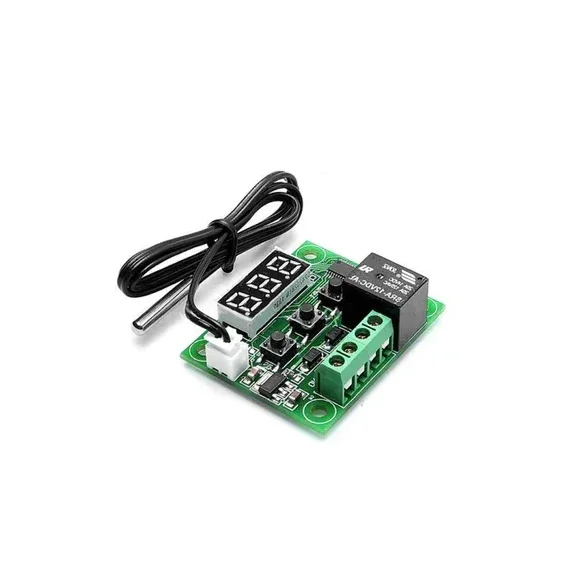
W1209 Digital Temperature Controller Thermostat Module with Display and Waterproof Temperature Sensor
[Temperature Sensor] XH W1209 12V Digital Temperature Control Module + Display and NTC Temp Sensor This is XH W1209 digital temperature controller Module W/ Display and NTC Waterproof Temperature Sensor. W1209 Mini thermostat Temperature controller is low-cost 12V Temperature controller with 7-segment display and 3 switch keypad for setting temperature and other parameters. The module features an NTC thermistor temperature sensing and has an accuracy of 0.1 C. The XH W1209 digital temperature controller Module W/ Display and NTC Waterproof Temperature Sensor is an incredibly low cost yet highly functional thermostat controller. With this module, you can intelligently control power to most types of electrical device based on the temperature sensed by the included high accuracy NTC temperature sensor. Although this module has an embedded microcontroller no programming knowledge is required. 3 tactile switches allow for configuring various parameters including on & off trigger temperatures. The onboard relay can switch up to a maximum of 240V AC at 5A or 14V DC at 10A. We can display current temperature in degrees Centigrade via its 3 digit seven segment display and the current relay state by an onboard LED. DISPLAYING THE CURRENT TEMPERATURE The thermostat will display the current temperature in °C by default. When in any other mode making no input for approximately 5 seconds will cause the thermostat to return to this default display. SETTING THE TRIGGER TEMPERATURE To set the trigger temperature press the button marked ‘SET’. The seven-segment display will flash. You can now set a trigger temperature (in °C) using the ‘+’ and ‘-‘ buttons in 0.1° increments. If we didn’t press any buttons for approximately 2 seconds the trigger temperature will be store and the display will return back to the current temperature. SETTING THE PARAMETERS To set any parameter first long press the ‘SET’ button for at least 5 seconds. The seven-segment display should now display ‘P0’. This represents parameter P0. Pressing the ‘+’ or ‘-‘ buttons will cycle through the various parameters (P0 to P6). Pressing the ‘SET’ button whilst any of these parameters are displayed will allow you to change the value for that parameter using the ‘+’ and ‘-‘ buttons. When finished setting a parameter press the set button to exit that option. If no buttons are pressed for approximately 5 seconds the thermostat will exit the parameter options and will return back to the default temperature display. SETTING THE COOLING OR HEATING PARAMETER P0 The parameter P0 has two settings, C and H. When setting to C (default) the relay will energize when the temperature is reached. Use this setting if connecting to an air-conditioning system. When set to H the relay will de-energize when the temperature is reached. Use this setting if controlling a heating device. SETTING THE HYSTERESIS PARAMETER P1 This sets how much change in temperature must occur before the relay will change state. For example, if set to the default 2oC and the trigger temperature has been set to 25oC, it will not de-energize until the temperature falls back below 23oC. Setting this hysteresis helps stop the thermostat from continually triggering when the temperature drifts around the trip temperature. SETTING THE UPPER LIMIT OF THE THERMOSTAT PARAMETER P2 This parameter limits the maximum trigger temperature that can be set. It is useful as a safety to stop an excessively high trigger temperature from accidentally being set by the user. SETTING THE LOWER LIMIT OF THE THERMOSTAT PARAMETER P3 This parameter limits the minimum trigger temperature that can be set. It is useful as a safety to stop an excessively low trigger temperature from accidentally being set by the user. SETTING TEMPERATURE OFFSET CORRECTION PARAMETER P4 Should you find there is a difference between the displayed temperature and the actual temperature; (for instance, if the temperature probe is on a long run of cable) you can make minor corrections to the temperature reading with this parameter. SETTING THE TRIGGER DELAY PARAMETER P5 To reach trigger temperature this parameter allows for delaying switching of the relay. The parameter can be set in one-minute increments up to a maximum of 10 minutes. SETTING THE HIGH-TEMPERATURE ALARM PARAMETER P6 Setting a value for this parameter will cause the relay to switch off when the temperature reaches this setting. The seven-segment display will also show ‘—‘ to indicate an alarm condition. The relay will not re-energize until the temperature falls below this value. The default setting is OFF.