
Build an IoT Weather Station with ESP32, DHT11 & 0.96-inch OLED Display
Construct a connected desktop IoT weather station that monitors room temperature, relative humidity, and heat index while streaming live telemetry over WiFi to the cloud.
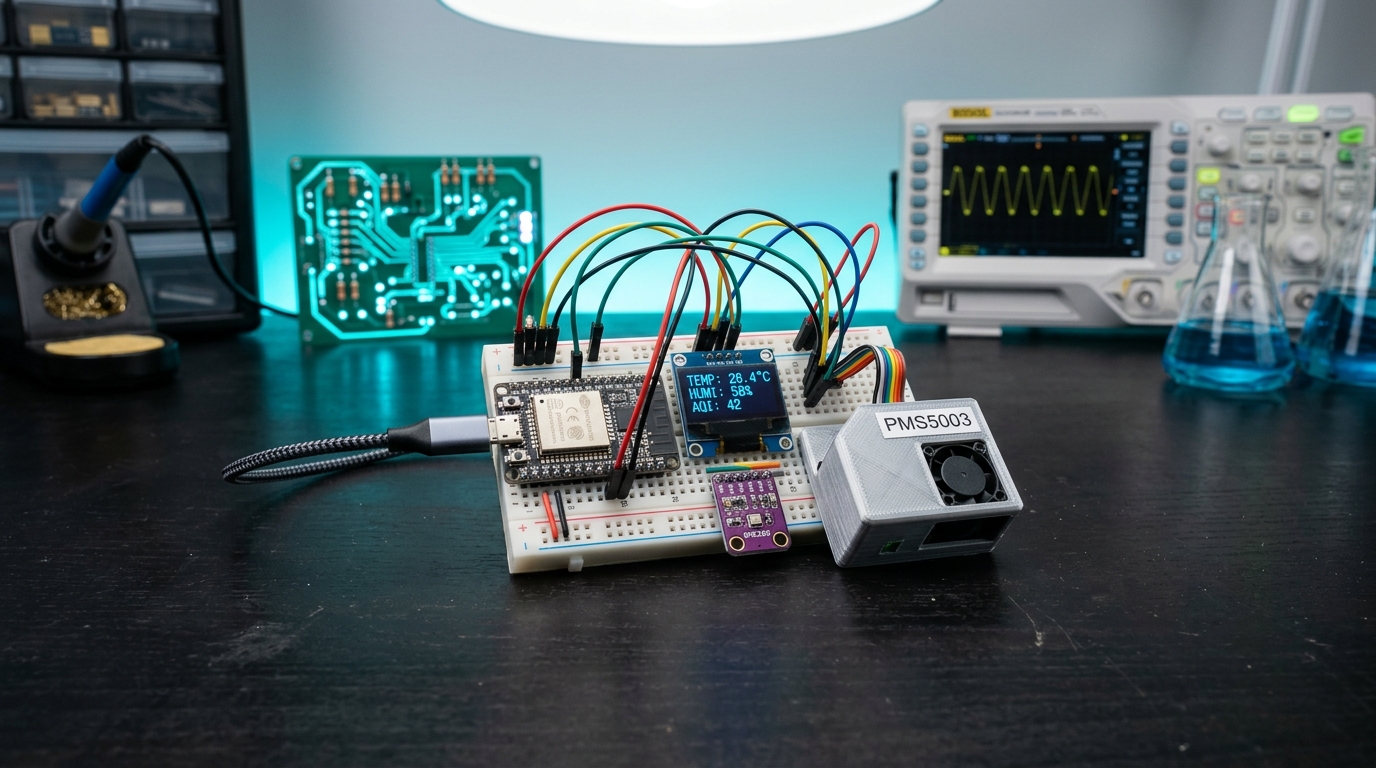
Build an IoT Weather Station with ESP32, DHT11 & 0.96-inch OLED Display
Modern smart offices, server racks, and indoor hydroponic setups require continuous, reliable atmospheric tracking. In this project, we create an ultra-compact IoT environmental monitor powered by the dual-core ESP32 microcontroller, rendering real-time temperature, humidity, and calculated heat index onto an SSD1306 OLED screen while broadcasting metrics to a web dashboard.
What you will build: A sleek desktop monitor displaying live environmental telemetry on a high-contrast 128×64 OLED display, with an embedded web server accessible from any phone or PC on your WiFi network.
1. Required Components
- 1× ESP32 Development Board (NodeMCU-32S / ESP-WROOM-32)
- 1× DHT11 (or DHT22) Temperature and Humidity Sensor
- 1× 0.96-inch I2C / SPI OLED Display (SSD1306 128×64)
- 1× Half-Size Breadboard & jumper wires
- 1× Micro-USB / USB-C data cable
2. Pinout & Interfacing
| ESP32 Pin | Connected Module | Function | |---|---|---| | GPIO 21 | OLED SDA | I2C Data Line | | GPIO 22 | OLED SCL | I2C Clock Line | | GPIO 4 | DHT11 DATA | One-Wire Sensor Data | | 3.3V | OLED VCC & DHT11 VCC | 3.3V Power Rail | | GND | OLED GND & DHT11 GND | Common Ground |
3. Source Code (Arduino C++)
Install the following libraries from Arduino Library Manager:
- Adafruit SSD1306 & Adafruit GFX Library
- DHT sensor library by Adafruit
cpp#include <WiFi.h> #include <WebServer.h> #include <Wire.h> #include <Adafruit_GFX.h> #include <Adafruit_SSD1306.h> #include <DHT.h> #define SCREEN_WIDTH 128 #define SCREEN_HEIGHT 64 Adafruit_SSD1306 display(SCREEN_WIDTH, SCREEN_HEIGHT, &Wire, -1); #define DHTPIN 4 #define DHTTYPE DHT11 DHT dht(DHTPIN, DHTTYPE); const char* ssid = "YOUR_WIFI_SSID"; const char* password = "YOUR_WIFI_PASSWORD"; WebServer server(80); float temp = 0; float hum = 0; void handleRoot() { String html = "<html><head><meta http-equiv='refresh' content='3'/><title>Unik IoT Weather</title></head>"; html += "<body style='font-family:sans-serif;background:#090d16;color:#22d3ee;text-align:center;padding-top:40px;'>"; html += "<h1>ESP32 IoT Weather Hub</h1>"; html += "<div style='font-size:32px;margin:20px;'>Temperature: <b>" + String(temp, 1) + " °C</b></div>"; html += "<div style='font-size:32px;margin:20px;'>Humidity: <b>" + String(hum, 1) + " %</b></div>"; html += "</body></html>"; server.send(200, "text/html", html); } void setup() { Serial.begin(115200); dht.begin(); if(!display.begin(SSD1306_SWITCHCAPVCC, 0x3C)) { Serial.println("SSD1306 allocation failed"); for(;;); } display.clearDisplay(); display.setTextColor(WHITE); display.setTextSize(1); display.setCursor(10, 20); display.println("Connecting WiFi..."); display.display(); WiFi.begin(ssid, password); while (WiFi.status() != WL_CONNECTED) { delay(500); Serial.print("."); } server.on("/", handleRoot); server.begin(); } void loop() { server.handleClient(); static unsigned long lastRead = 0; if (millis() - lastRead > 2000) { lastRead = millis(); float t = dht.readTemperature(); float h = dht.readHumidity(); if (!isnan(t) && !isnan(h)) { temp = t; hum = h; display.clearDisplay(); display.setTextSize(1); display.setCursor(0, 0); display.print("IP: "); display.println(WiFi.localIP()); display.drawLine(0, 10, 128, 10, WHITE); display.setTextSize(2); display.setCursor(10, 20); display.print(temp, 1); display.print(" C"); display.setCursor(10, 44); display.print(hum, 1); display.print(" % RH"); display.display(); } } }
4. Expanding the Build
Add an MQ-135 air quality sensor or BMP280 barometric pressure sensor on the same I2C bus to monitor indoor CO2 and forecast local rainfall!
Parts used in this tutorial
Buy them in one click — ships from Pune across India.
- ESP32 Development Board with WiFi & Bluetooth – CH340C USB Type-CMicrocontrollers₹419.00+ GST
- DHT11 Digital Temperature and Humidity Sensor Module 3.3V-5V for Arduino & Raspberry PiSensors₹65.00+ GST
- 0.96 Inch Blue SPI OLED Display Module 7-Pin 128×64 – SSD1306Display & Communication₹99.00+ GST


